
Ulasan laptop gaming Lenovo Legion 5i Gen 10
🌐 Konten masih dalam Bahasa Inggris. Terjemahan sedang diproses.
"I'm sure you'll enjoy reviewing this single-channel Lenovo laptop," Dave joked, as we ended a call discussing the new PC Gamer benchmark database. I laughed, as you do, because it's one of those things that I've written about extensively in recent months, (and moaned at PC Gamer, a lot more about besides), and one I hoped I wouldn't see here today. Because, you know, it's mildly insane. And yet… Here we are. Oh... oh boy.
I'm actually reviewing a slew of mid-range laptops currently. This, the MSI Katana 15 HX, and the Asus TUF Gaming A16. And you know what those other two plucky little lappies have? Well, you've probably already guessed, 2x 8 GB of DDR5, both running at 5,600 MT/s. Not so with Lenovo's Legion 5. This wee beauty comes in with just a single 16 GB stick running at a "rapid" (that's sarcasm) 4,800 MT/s. The gaming equivalent of buying a Porsche 911 GT3 RS, and fitting it with a diesel engine from a 1997 Peugeot 106 (an exaggeration, yes, but I'm just so passionate about RAM channels this feels like an almost personal betrayal to me).
Now the logical assumption here is that, for a gamer, this has minimal impact on the overall result, right? You're not going to see any issue at all, because most of your performance comes from the GPU, and its VRAM doing its job. The likelihood of CPU bottlenecks, particularly at 2560x1600, is fairly muted. In short, doing the tasks that this little laptop was designed to fulfill should be a doddle with or without the extra channel bandwidth. Heck, it might even make it into the best gaming laptop buying guide, Lenovo probably said, (11 years of journalism folks).
And, that's kinda true, but the problem is, that in those moments that the RAM bandwidth bottleneck suddenly becomes a thing. It's a problem. A big bloody problem. And not of the same caliber as your GPU getting a little too hot and clock speed falling off by a couple 100 MHz. As soon as that channel saturates, that Peugeot 106 engine blows a head gasket.
Buy if...
✅ You want a beautiful crisp OLED display on the cheap: Gaming? Tick. An aesthetic delight? Tick. The most beautiful screen you've seen for sub 1.5K? Also tick.
Do not buy if...
❌ You're likely to play games at high frame rates, or do memory intensive tasks: The lack of a 2x8GB RAM setup is no bueno for anything even mildly bandwidth sensitive.
Lenovo Legion 5i - Features
Processor | Intel Core i7 13650HX |
Cores | 6 Performance, 8 Efficient |
Threads | 20 |
Boost clock speed | 4.9 GHz |
Graphics | Nvidia GeForce RTX 5060 8GB |
RAM | 16GB (1x16GB) DDR5-4800 MT/s |
Storage | 1 TB Kioxia LS KBG60ZNT1T02 PCIe 4.0 |
Display | 15.1-inch OLED |
Resolution | 2560 x 1600 |
Refresh | 165 Hz |
Battery | 80 Whr |
Power brick | 245 W |
Weight | 1.9 kg |
Dimensions | 344.9 x 255.35 x 19.95 to 21.54 mm |
Price | £1,348 / $1,499 (US model features Core i7-14700HX) |
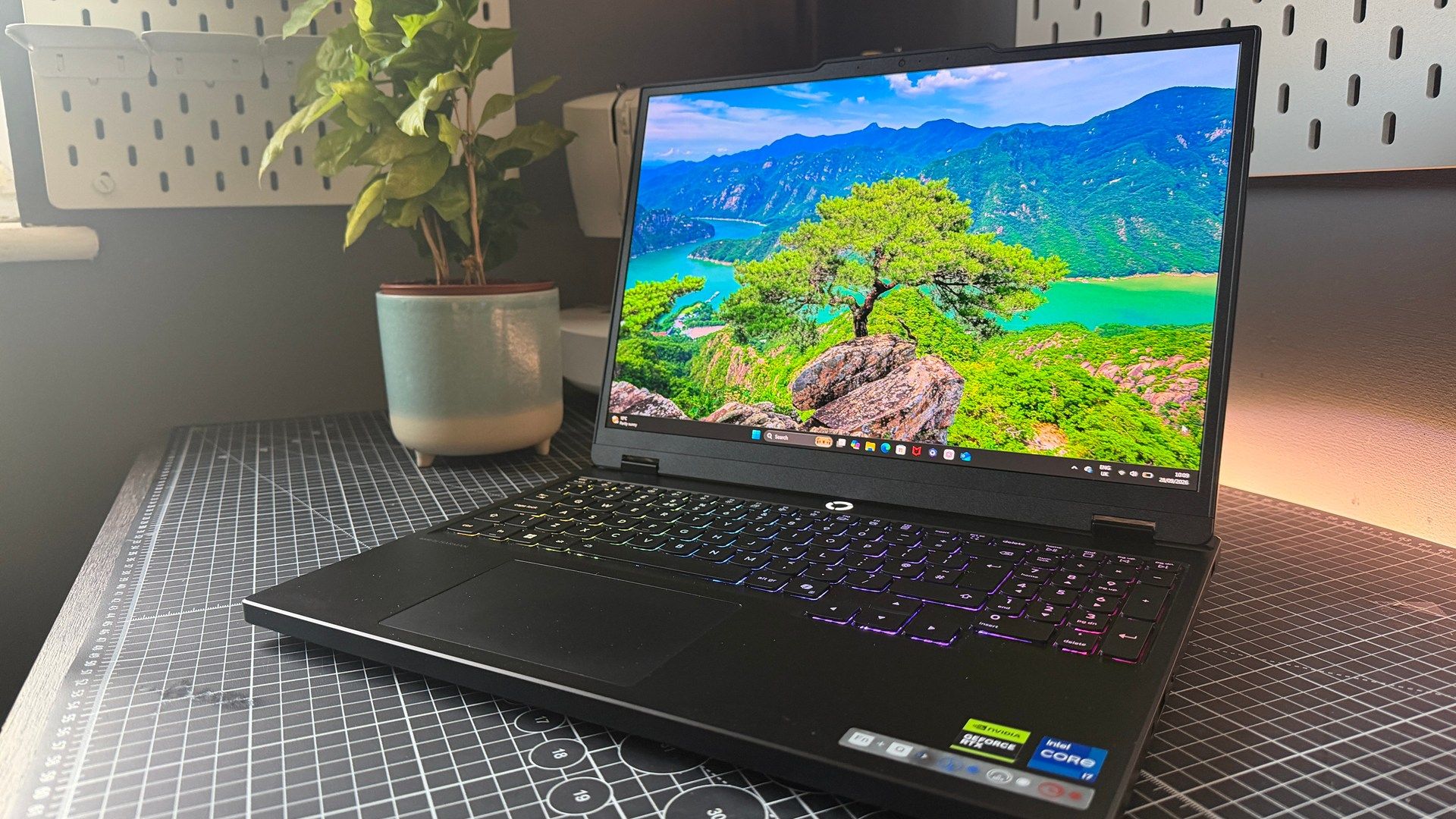
RAM beef aside, the Lenovo Legion 5's notable feature list, outside of the usual bells and whistles, and AI strapped moniker, is fairly slim. The big selling point, without question, is the 15.1-inch OLED display. That beautiful piece of engineering, that graces the 5's sublimely slim form factor.
With some serious pixel density thanks to a 2560x1600 res. (sitting at a suave 199.93 PPI), it cranks out an impressive 165 Hz refresh rate. And the colors, oh my days, the colors on this thing are exemplary. It's one of the few laptops I keep coming back to, and keep gaming on time and time again, throughout the last month, because the display is just that gorgeous to look at.
In fact, every time I flick the lid up, or pop my finger on the power button, I'm genuinely amazed by how vibrant and smooth it looks. Power Wash Simulator 2 has never looked this good, and don't even get me started on Sort Them Ducks.
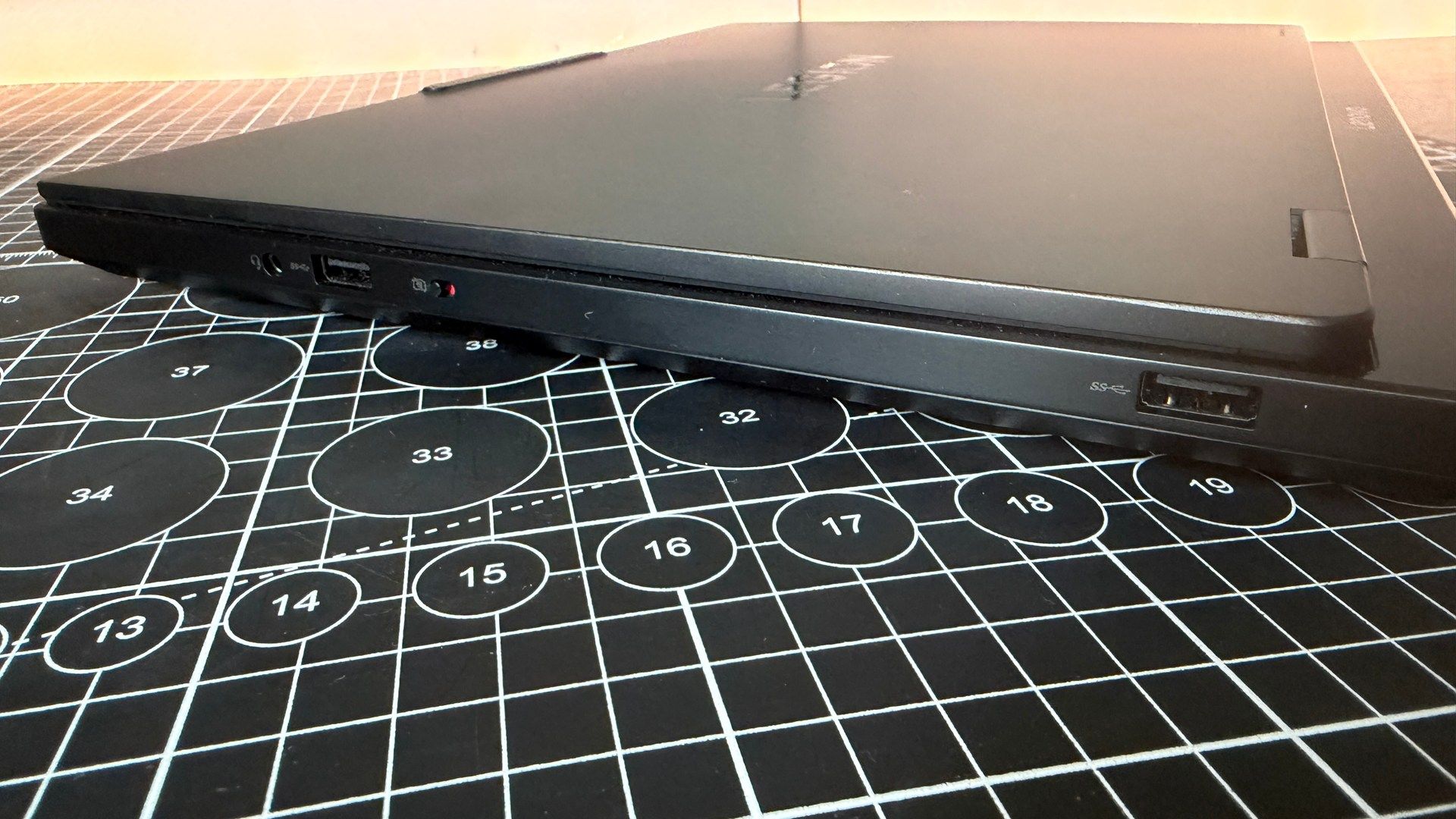
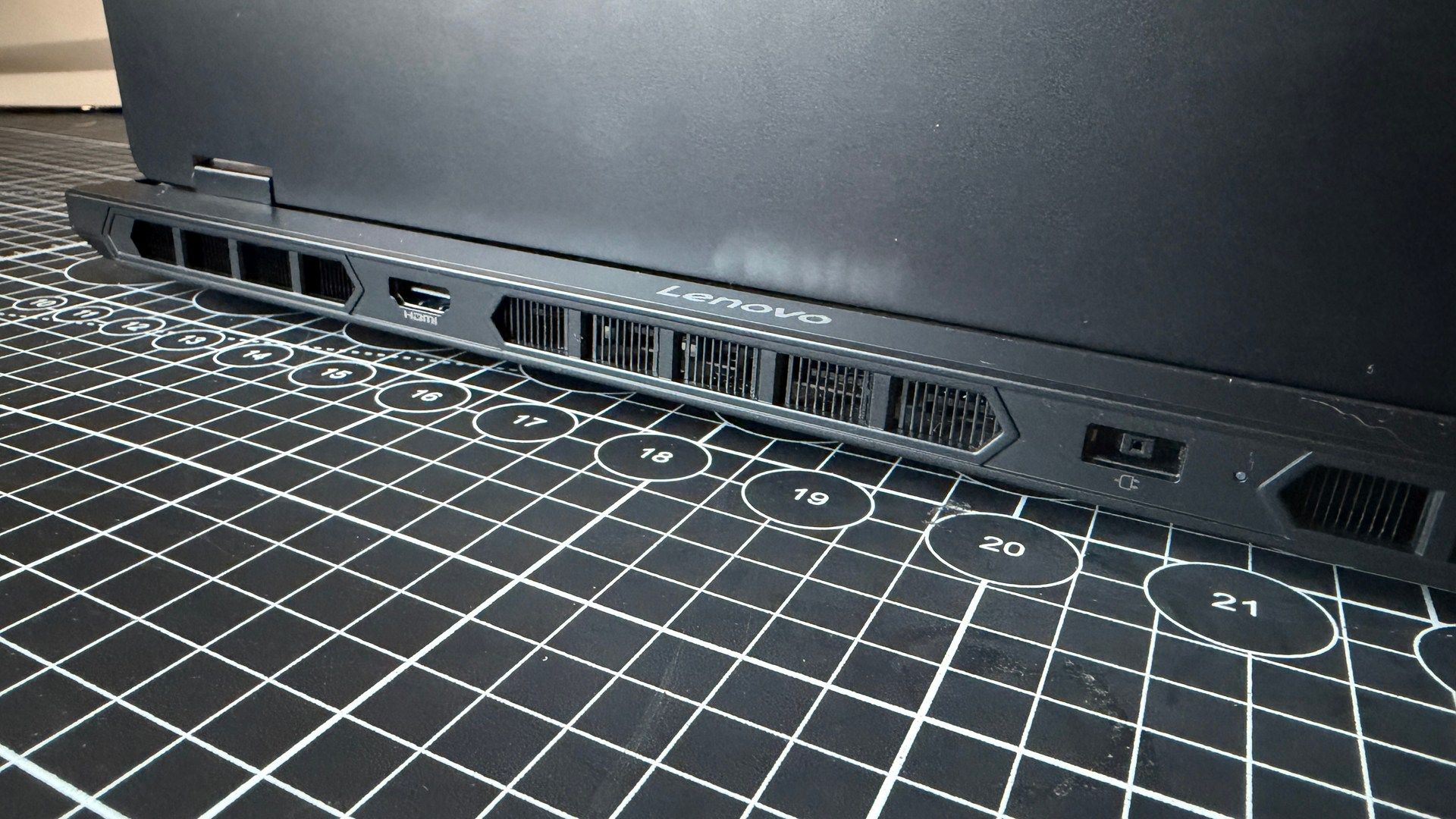
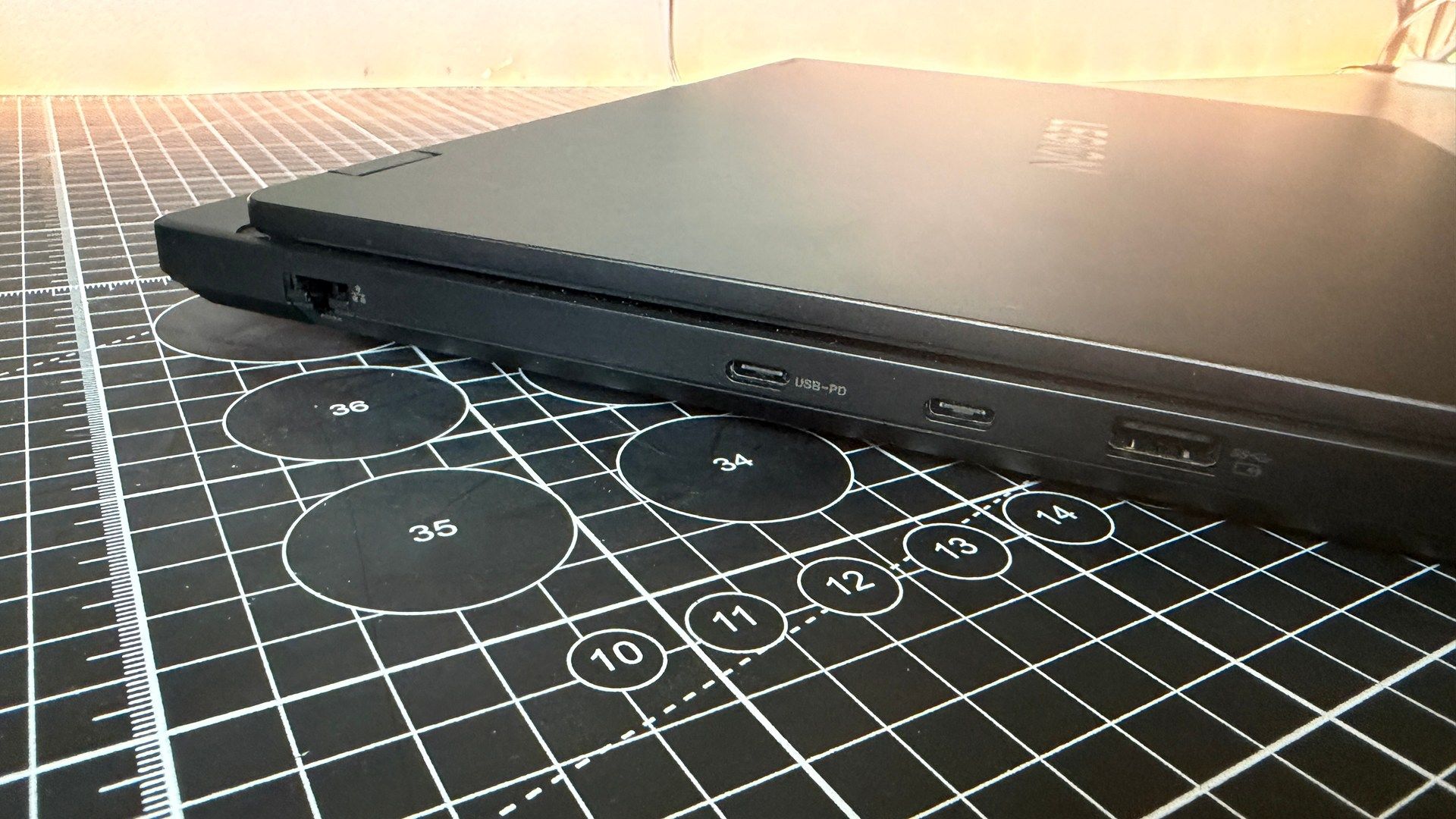
There's more to it than just a fancy screen though, as it comes with support for twin M.2 SSDs, and features WiFi 7 straight out of the gate. The port selection is fairly solid too, with wired ethernet running alongside dual USB C and twin USB 3.2 Type A as well, along with an HDMI out.
Lenovo Legion 5i - Value
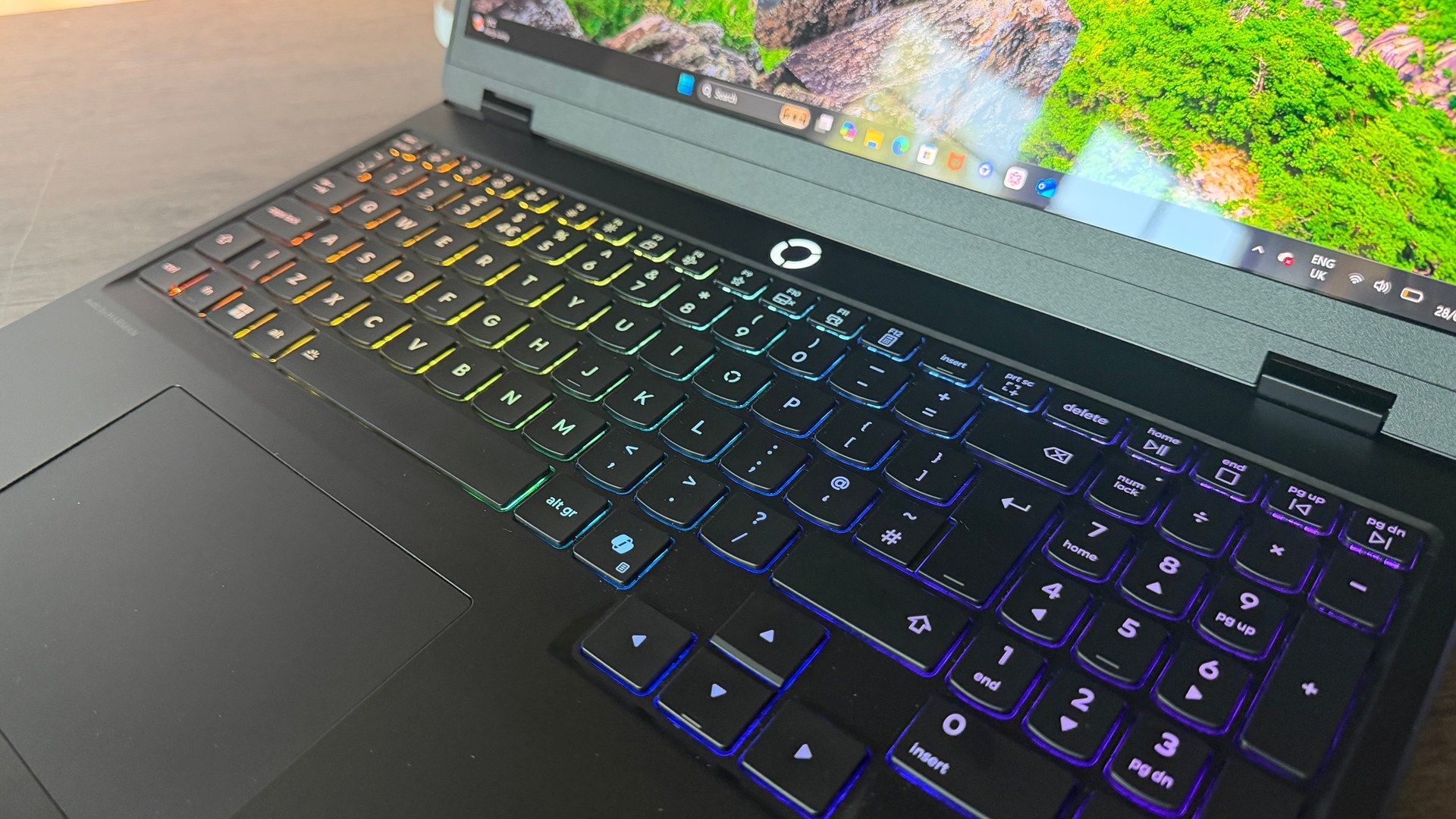
Back to the screen for a second though, and why that impresses on me so much, is that the price is so damn tight. Particularly for the modern AI age. £1,348 in the UK. That nets you that 20 thread chip, a decent RTX 5060 (actually running at a reputable power wattage for once), a solid PCIe 4.0 SSD, and of course you get all of those bells and whistles I mentioned above, with arguably the best-looking screen I've seen in the past six months.
Unfortunately, the US market no longer sports the exact spec that I have here, but its closest kin, comes in at a still respectable $1,499 (when not on offer), and features the slightly more modern Core i7 14700HX as well, which nets you some additional cores for an extra eight threads overall.
Lenovo Legion 5i - Sound
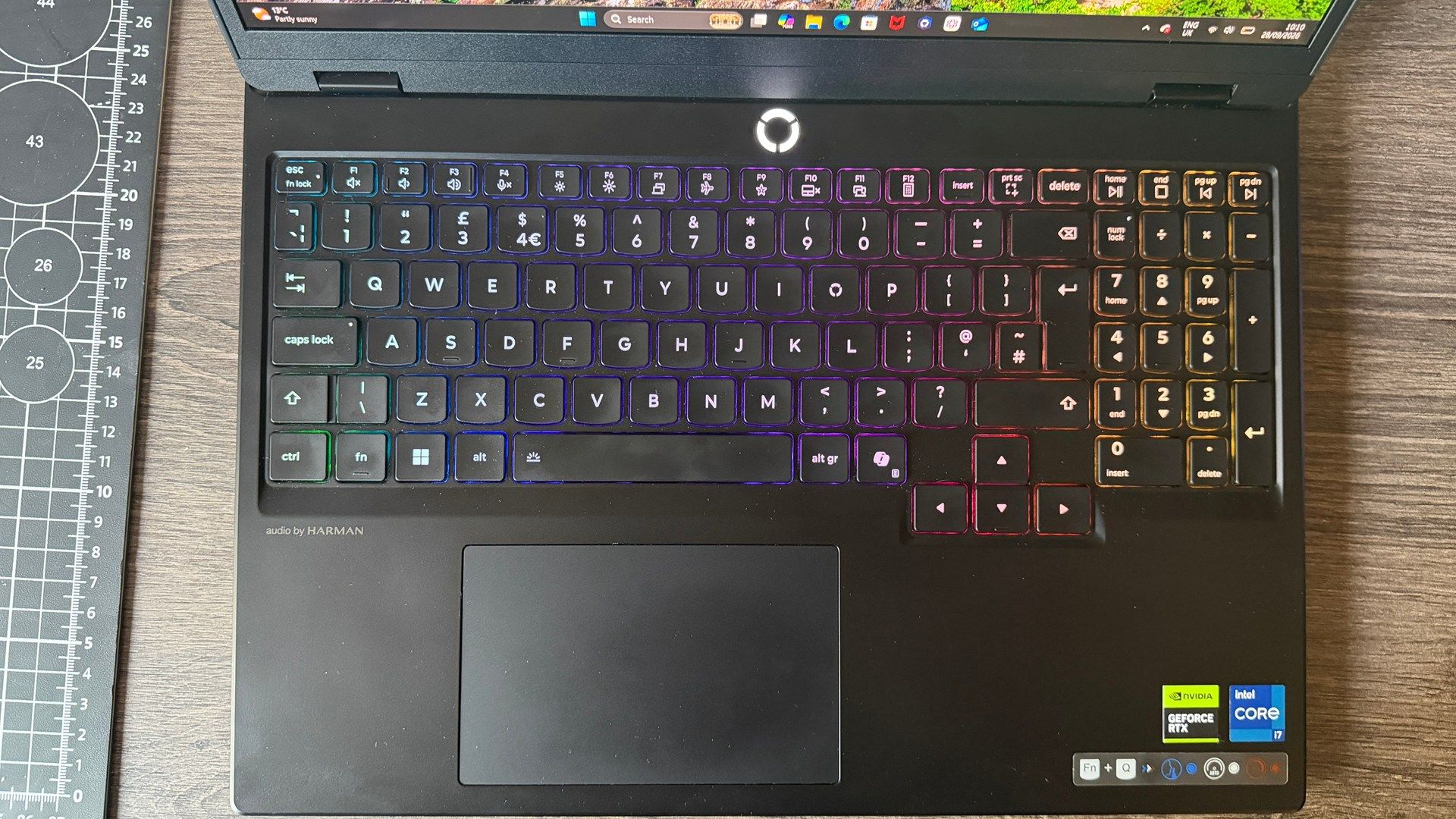
I've been quietly surprised by just how good the speaker setup is on the Legion 5 too. There are two small tweeters situated within the bottom edge of the trackpad, on either side facing outwards, that give it a surprising amount of depth in the audio, and there's a comfortable amount of bass output as well here, somehow. Maybe Lenovo could lend its sound engineers out to MSI, for like a play date or something.
Is it tinny? Well, yeah, a little. It's not exactly going to hold up compared to your Audioengine A2+ wireless units or anything of the sort. But if you're strapped in a pinch, and feel like ditching those pesky headphones, it does a respectable job of handling itself in that situation.
System performance
Testing power and thermal performance of the laptops.
| Product | Value |
|---|---|
| Lenovo Legion 5 | RTX 5060 115 W | i7 13650HX | 76 Avg CPU (°C), 91 Max CPU (°C), 81 Avg GPU (°C), 85 Max GPU (°C) |
| MSI Katana 15 HX | RTX 5060 115 W | i7 14650HX | 77 Avg CPU (°C), 95 Max CPU (°C), 77 Avg GPU (°C), 82 Max GPU (°C) |
| Asus TUF Gaming A16 | RTX 5050 115 W | Ryzen 7 260 | 71 Avg CPU (°C), 87 Max CPU (°C), 60 Avg GPU (°C), 85 Max GPU (°C) |

As for the fan noise. Well, it's a slim-line gaming notebook with a 115 W RTX 5060 in it, and a hot as heck Core i7 13650HX at its heart. The max CPU temp under load was 99 degrees, and in gaming you're looking at temps of 81 C on the GPU and 76 on the CPU on average. That's a polite way of saying "she's a bit loud", but in a loving way.
Lenovo Legion 5i - Performance
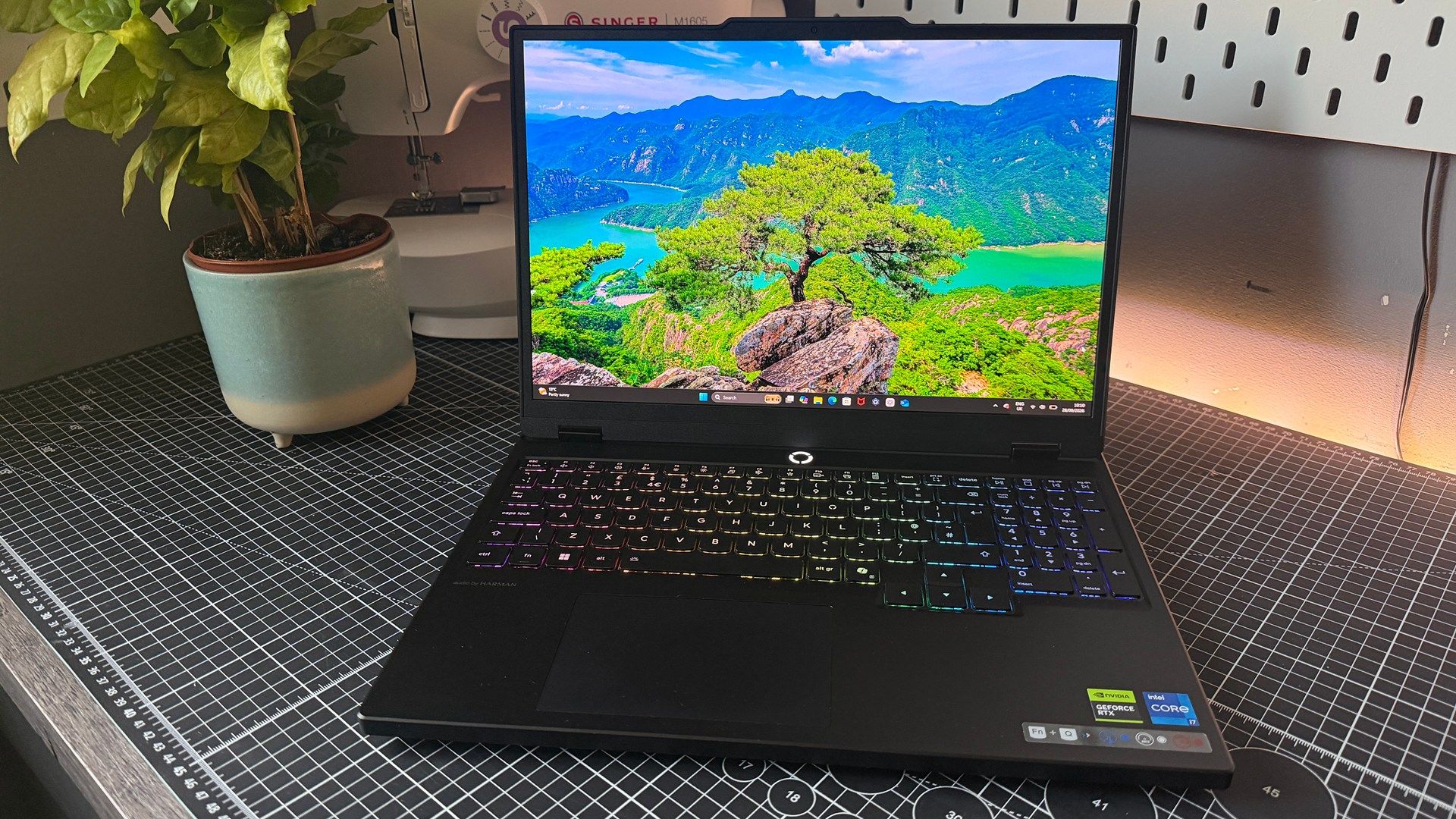
Right then, performance. Let's talk about the obvious memory shaped elephant in the room first, shall we? Lenovo's single-channel RAM setup. The argument (as with all major manufacturers who take this route, and I can quote this verbatim at this point), is that it allows the end-user to increase the amount of RAM later, simply by adding another memory stick themselves. Yeah, I suppose, if you're willing to do that, can afford to, and can find one that comfortably matches for compatibility's sake. For everyone else, though, it has some particularly wanton side effects in specific applications that genuinely matter.
Creator and system performance
Testing the non-gaming performance of the laptops.
| Product | Value |
|---|---|
| Lenovo Legion 5 | RTX 5060 115 W | i7 13650HX | 66.83 Compressing (GIPS), 113 Decompressing (GIPS) |
| MSI Katana 15 HX | RTX 5060 115 W | i7 14650HX | 100.46 Compressing (GIPS), 105.57 Decompressing (GIPS) |
| Asus TUF Gaming A16 | RTX 5050 115 W | Ryzen 7 260 | 82.31 Compressing (GIPS), 119.91 Decompressing (GIPS) |
File compression in particular suffers the most, scoring the lowest out of our three models here, with just 66.83 MB/s on compression, versus the 82.31 touted by Asus's TUF Gaming A16, or the 100.46 brought to bear by the Katana. That's a drop of 33.5% in performance alone there on the latter.
It's gaming, however, that's most fascinating. The two standouts being the 1440p Cyberpunk results. With Ray Tracing Ultra and no DLSS or Frame Gen, the numbers are telling. The Katana averaged 20 fps, with minimums clocking in at 15. The Legion, just a meager 11 fps on average, with 3 fps on the minimums. A staggering drop. That's further pressed home by the fact that Lenovo did that with significantly higher GPU usage too. Average power draw was 85 W with a clock speed of 2,678 MHz, versus the Katana's 2,305 MHz and 68 W draw. Ouch.
1080p gaming performance
Running games at a normalised resolution to compare frame rates at the same level
| Product | Value |
|---|---|
| Lenovo Legion 5 | RTX 5060 115 W | i7 13650HX | 29 Avg FPS, 15 1% Low FPS |
| MSI Katana 15 HX | RTX 5060 115 W | i7 14650HX | 32 Avg FPS, 21 1% Low FPS |
| Asus TUF Gaming A16 | RTX 5050 115 W | Ryzen 7 260 | 31 Avg FPS, 21 1% Low FPS |
Now yes, two very specific niche cases, but the drop there is near enough 50% all because memory bandwidth gets chewed up by high textures, and no upscaling. If you're a fan of playing AAA games at native res on that beautiful OLED, even with the GPU rip roaring along far faster than the competition, you're still going to see an overall drop in performance. Particularly if RTX is involved and DLSS is off. The answer, of course, is to shift to DLSS where you can, and offset those texture sizes, but still, it's a decision that's taken out of your hands entirely.
It's a shame because otherwise by almost every other measure, it's a fine solid laptop, that delivers performance (particularly in older titles) that's genuinely decent. Just the decision to skimp out on dual-channel to save a few bucks, costs it, and when you hit that bottleneck you seriously know about it. I just can't understand what the logic is here either, particularly when competitors, such as Asus and MSI, aren't doing that even on their budget models.
If it's a cost thing, you're saving what $50 maybe at most as a manufacturer per unit, and if it's a "the user can upgrade later", then you're justifying worse performance, and forcing the consumer into unpaid finicky labor to get the performance that the Legion 5 actually should be delivering from the outset.
It's dumb. I don't like it.
Lenovo Legion 5i - Aesthetics
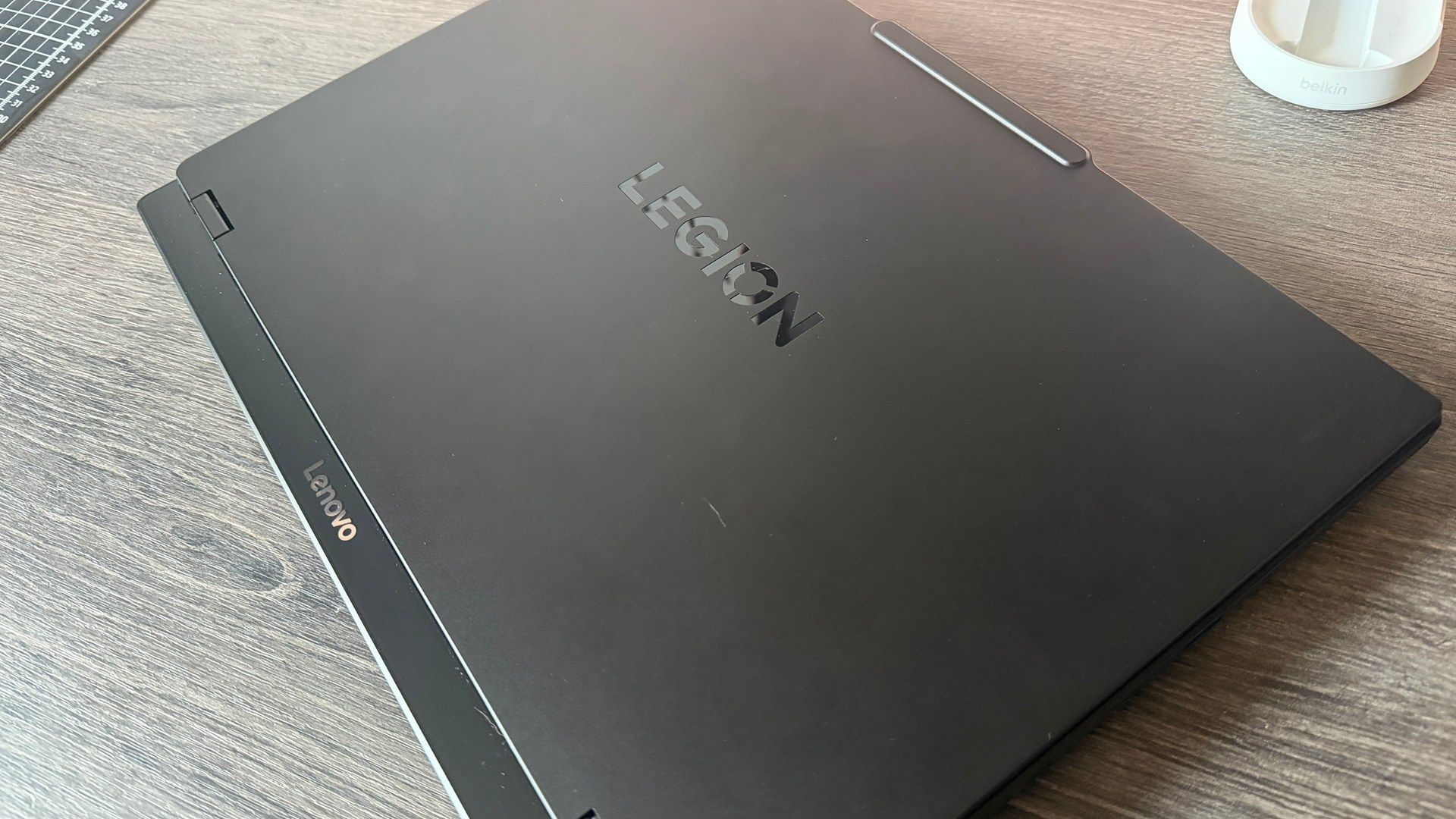
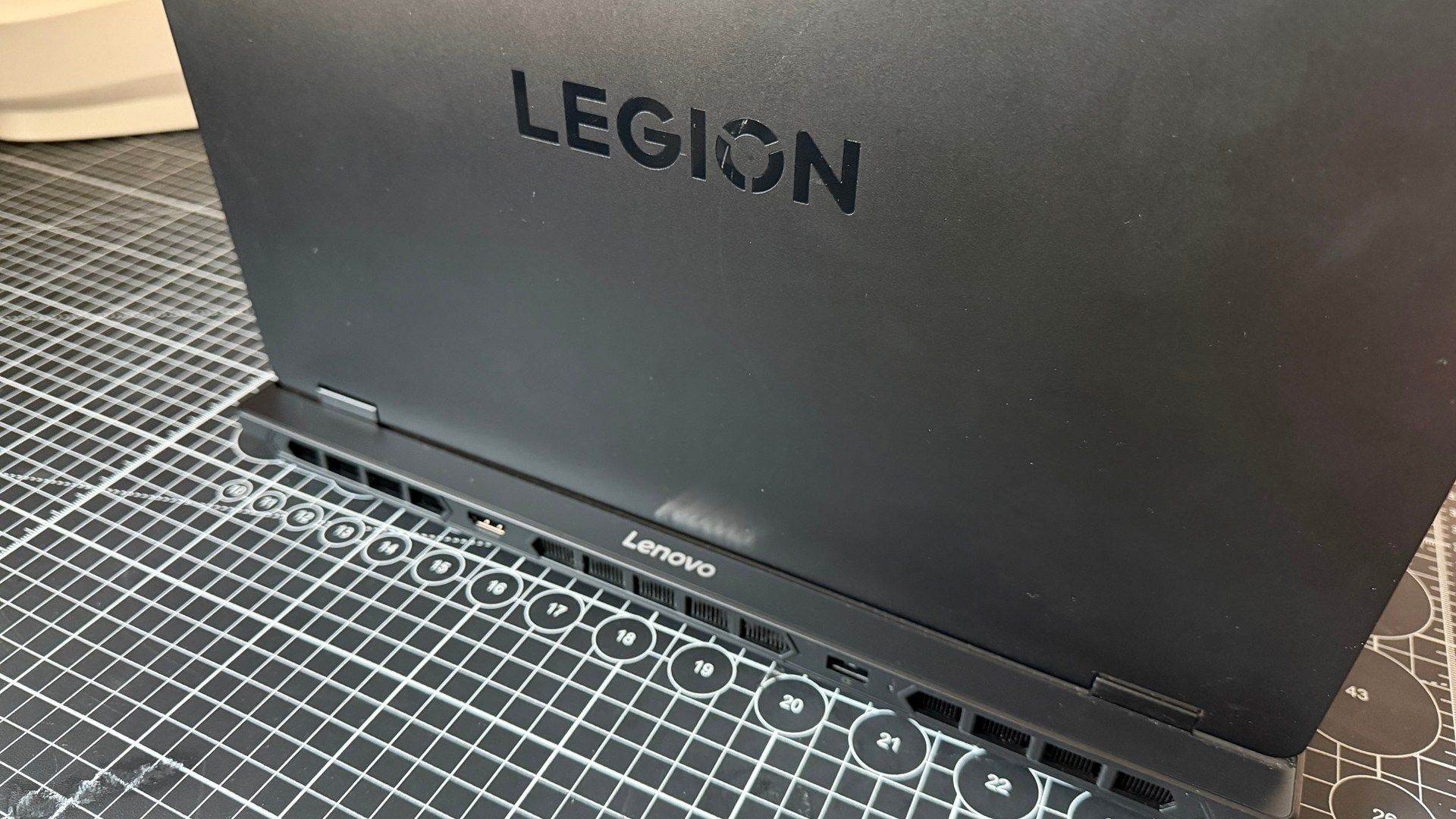
Ignoring my vendetta against any manufacturer that ships single-channel systems, the good news is the Legion 5 is absolutely stunning. It's sleek, slim, all black, with a clean RGB keyboard. There's minimal "gamification" here, and it's elegantly designed across the board, with a clean hinge, and no maddening RGB logos, or silly mascots anywhere.
Compact, is the word I'd use, and although that does lead to some particularly noisy fans from time to time, and some toasty temps, none of it will affect your day to day.
The only downside (when you're not staring at that beautiful screen) is that it is a bit of a fingerprint magnet. If you've got even a smidge of grease on your fingertips, say, from an overly large bag of prawn cocktail crisps (US: chips), it can turn into a mess quite quickly.
Lenovo Legion 5i - Software
As with all Lenovo Legion laptops, do bear in mind you will need to set the Legion App to its gaming mode to get the best performance out of it when plugged in. It does boost frame-rates by around 10-15% across the board, and nets you that higher GPU power usage and clockspeeds listed here as a result. That does get disabled by default when you unplug the thing, at which point you sit in balanced mode for better battery life.
It also comes with McAfee as standard (or at least our UK edition did), so get to work uninstalling that pronto. It actively stopped a fair few of our game installs, and honestly in this journo's opinion, Windows Defender is more than well equipped to handle the dangers of the modern age.
Lenovo Legion 5i - Battery life
As for the battery life, yeah, not so good either. It's the second shortest span I've seen on PC Mark's gaming test, managing just 64 minutes, only "beaten" by Acer's Predator Helios NEO 16S AI, with its 53 minutes. So don't expect this to hang on for long once the charger's unplugged.
Lenovo did equip the Legion 5 with a respectable 80 WHr pack, but I suspect that the OLED panel, even at 50% brightness, is sucking up a lot of juice regardless.
Battery life
Testing the long term gaming life of the laptops using the industry standard PCMark 10 gaming test.
PCMark 10 Gaming test
| Product | Value |
|---|---|
| Lenovo Legion 5 | 64 |
| MSI Katana 15 HX | 71 |
| Asus TUF Gaming A16 | 112 |
Sumber: PC Gamer