
Xbox Ally X 20 vs Xbox Ally X: Layar OLED yang sangat terang dan suhu yang dingin membuat upgrade yang terpaksa menarik untuk Asus handheld
🌐 Konten masih dalam Bahasa Inggris. Terjemahan sedang diproses.
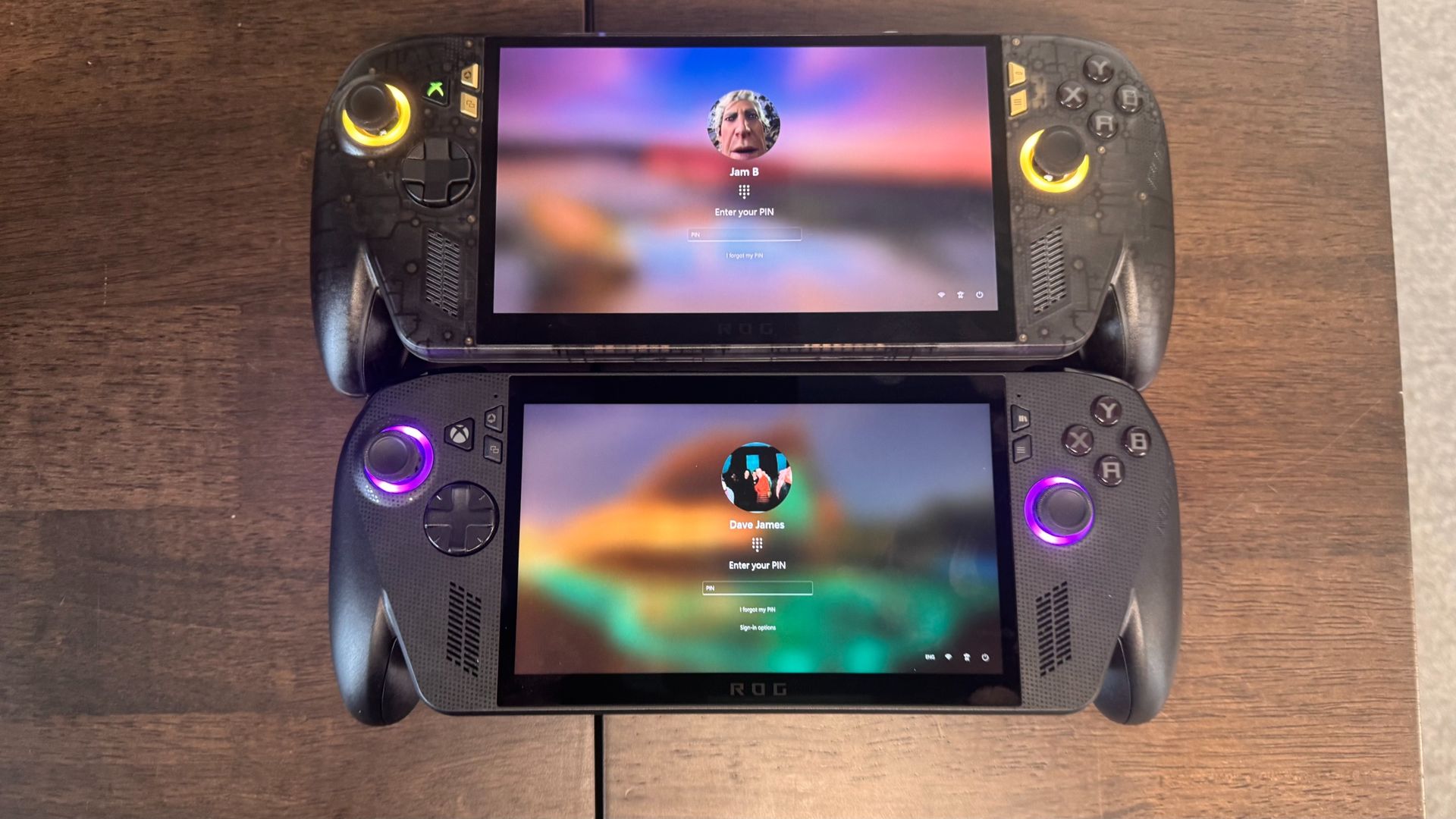
So, you've seen the Asus ROG Xbox Ally X20 in all its black and gold glory and wondered if it's worth paying $300 more for it. Well, the answer is 'it really depends on what kind of device you are looking for' and 'how much is a fresh OLED screen worth to you?'
Unlike the other ROG 20th anniversary edition bits of Asus gear, the X20 is not about superfluous add-ons (unless you pick up the bundle with XR glasses). You aren't getting a commemorative faceplate here, or extra stickers. You get an OLED screen, TMR thumbsticks, improved thermals, and MicroSD Express compatibility.
You also get Impulse triggers, which means they can rumble independently, and the D-Pad can be flicked around to make the corners more or less pronounced.
The screen is perhaps the biggest sell here, with its 1400 HDR-certified display going up to a peak brightness of 1,400 nits. As I found in my review, it's so sizzlingly bright at points that I looked at the sun in Cyberpunk 2077 while lying in bed one night and actually winced. Check out the full differences below.
Asus ROG Xbox Ally X20 | Asus ROG Xbox Ally X | |
Processor | AMD Ryzen Z2 Extreme | AMD Ryzen Z2 Extreme |
CPU architecture | Zen 5 / Zen 5c | Zen 5 / Zen 5c |
Core / threads | 8 / 16 | 8 / 16 |
CPU boost clock | 5 GHz | 5 GHz |
GPU architecture | RDNA 3.5 | RDNA 3.5 |
Shader count | 1024 | 1024 |
GPU boost clock | 2.9 GHz | 2.9 GHz |
VRAM | 8 GB (shared, adjustable) | 8 GB (shared, adjustable) |
Memory | 24 GB LPDDR5X | 24 GB LPDDR5X |
Screen | 7.4-inch OLED display | 7-inch IPS LCD display |
Resolution / refresh rate | 1920 x 1080 / 120 Hz | 1920 x 1080 / 120 Hz |
Peak brightness | 1400 nits | 500 nits |
Storage | 1 TB PCIe 4.0 NVMe M.2 2280 SSD | 1 TB PCIe 4.0 NVMe M.2 2280 SSD |
Thumbsticks | TMR | Magnetic |
Connectivity | 1x USB4 Type-C with DP 2.1 / PD 3.0 / TB 4 compatible 1x USB 3.2 Gen with DP 2.1 / PD 3.0 1x UHS-II microSD Express card reader 1x 3.5 mm combo jack | 1x USB4 Type-C with DP 2.1 / PD 3.0 / TB 4 compatible 1x USB 3.2 Gen with DP 2.1 / PD 3.0 1x UHS-II microSD card reader 1x 3.5 mm combo jack |
Dimensions | 30.0 x 12.1 x 5.13 cm | 29 x 12.1 x 5.07 cm |
Battery | 80 Wh | 80 Wh |
Weight | 756 g | 715 g |
Price |
Asus ROG Xbox Ally X20 vs Asus ROG Xbox Ally X: Performance
Performance test
In a handful of games and productivity apps (35 W plugged in)
| Product | Value |
|---|---|
| Asus ROG Xbox Ally X | 4033 Index score, 3663 GPU index score, 9462 CPU index score |
| Asus ROG Xbox Ally X20 | 4086 Index score, 3771 GPU index score, 9568 CPU index score |

With both devices featuring the same chip and memory, you can expect more or less the same performance. In my testing, I got lower Metro performance and worse 1% lows in F1 25, but better performance in Horizon Zero Dawn, Cyberpunk 2077 and 3DMark, so the framerate differences overall just about balance out. I also noticed the X20 never went above 49 watts, which means I would feel more comfortable cranking up the wattage. It helps that its thermals are much improved.
Asus ROG Xbox Ally X20 vs Asus ROG Xbox Ally X: Thermals
Gaming test thermals
Recorded in HW Info whilst performing gaming benchmarks (35 W plugged in)
Thermal performance
| Product | Value |
|---|---|
| Asus ROG Xbox Ally X | 96 Max CPU temp (°C), 55 Max CPU package power (W) |
| Asus ROG Xbox Ally X20 | 79 Max CPU temp (°C), 48 Max CPU package power (W) |
The X20 comes with a refined new thermal cooling system, and it's more than just a marketing term. I recorded temps up to 17 °C cooler compared to the previous model, and even in long gaming sessions, I couldn't manage to push the system's temp above 80°C with its included wattage modes (between 17 W and 35 W). Importantly, I never felt that heat on my fingers as I played, making it a relatively frosty gaming device.
Asus ROG Xbox Ally X20 vs Asus ROG Xbox Ally X: Battery life
Gaming battery life
Recorded using PCMark 10's gaming battery life test (25 W)
Battery life | PCMark 10
| Product | Value |
|---|---|
| Asus ROG Xbox Ally X | 125 |
| Asus ROG Xbox Ally X20 | 149 |
In stress testing gaming benchmarks, the X20 managed 2 hours and 9 minutes in the 25 W gaming mode, and almost 3 hours in the 17 W mode. Importantly, it can get up to 9 hours of indie gaming on the go, in my experience. The standard X model has the exact same size battery, so you can expect a similar battery life, though our testing saw it perform a little under the X20.
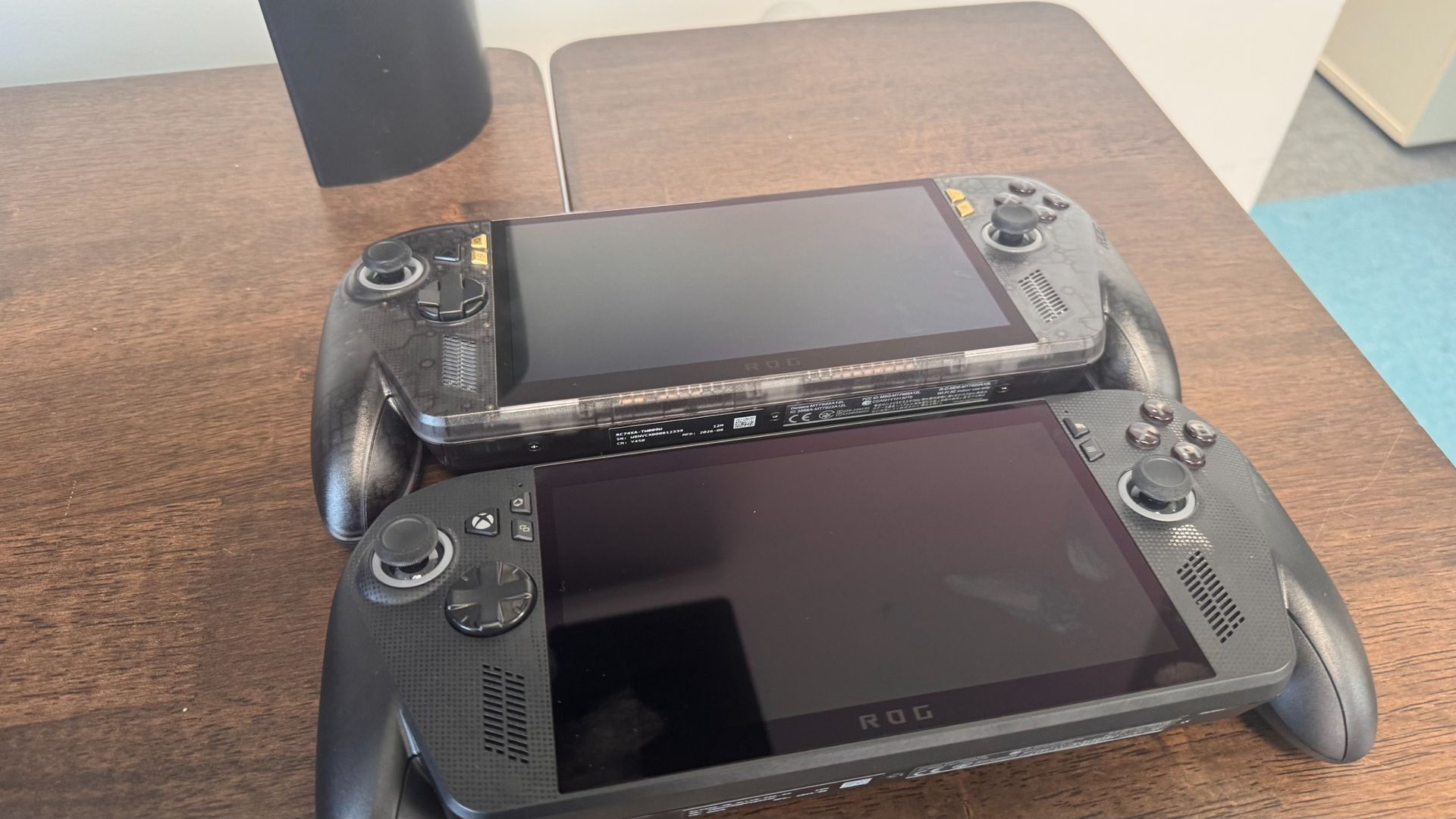
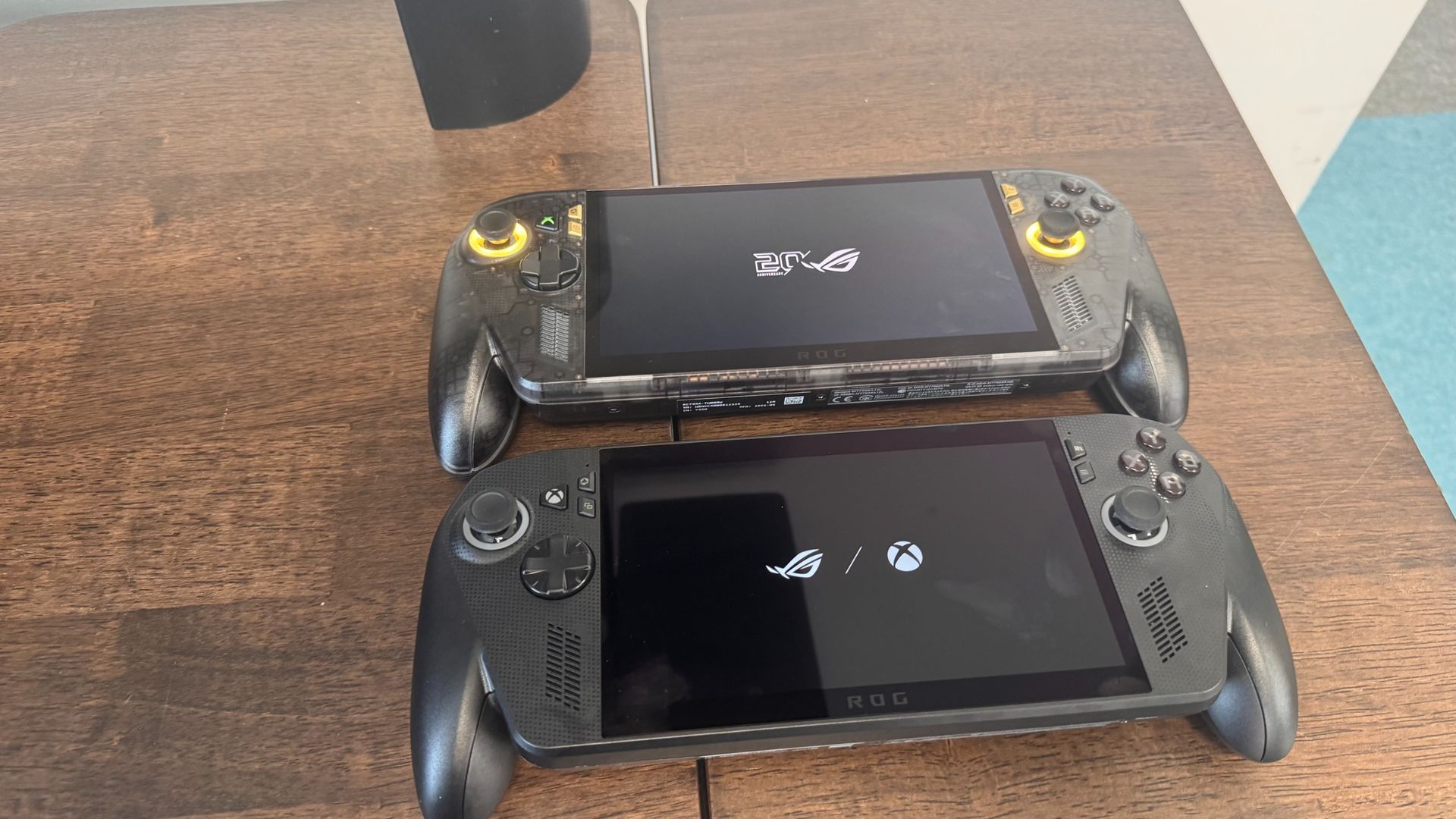
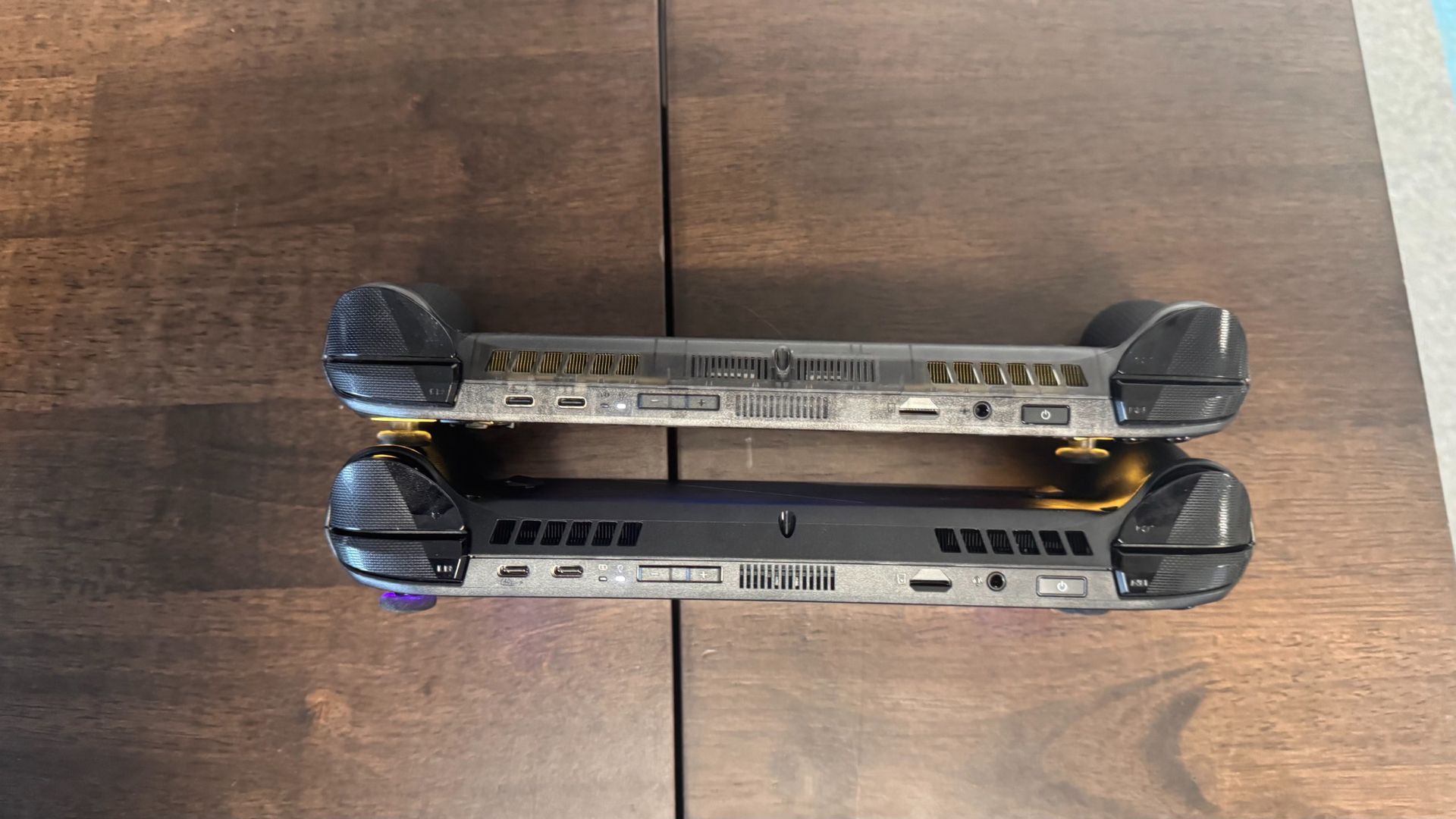
Though you're getting similar performance figures, the day-to-day use of the Ally X20 is superior from my experience. The screen is gorgeous and super bright, all the buttons feel superb under the fingers, it's super quiet (unless you want it to be loud), and it looks phenomenal.
As well as all of this, those frosty temps mean you can shove up the wattage if you want, or just have a ton of headroom to avoid throttling in the future. I would really struggle to want to spend over $1,000 on any gaming handheld right now, but if I were flush with cash, I would be majorly tempted to pop the X20 in my basket.
Should you upgrade to the Asus ROG Xbox Ally X20?
If you already have the Xbox Ally X, I wouldn't recommend spending another $1,300 to get a better screen, thermals and TMR sticks (plus some little extras). If, however, you're deciding between the two, I can say that the new additions are very welcome and make for a refined, desirable device. If you've got the cash to splash, it's a sweet device. It's just a shame that the memory crisis has killed handheld market prices.
Sumber: PC Gamer